HomeReturn Home
 ProfilTools and Modules
 JurusanAdvanced Menu System
 Drop Down MenuUnlimited Level Options
 Menu Module ExamplePublish Any Module to Any Menu
 Grouped Child MenuGroup Children Together
 MediaWhat's Included
 Shape 5 Vertex FrameworkPowerful Site Building Blocks
 Template FeaturesPowerful Template Settings
 J! StuffDefault Joomla Items
 Style and Layout OptionsCustomize Your Site
 Kontak KamiFind Help Here

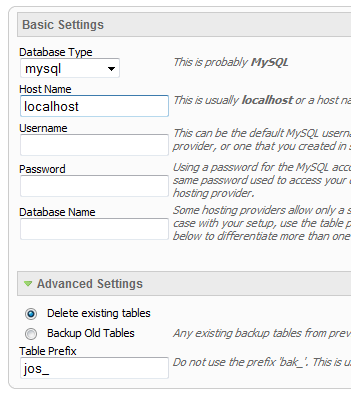
administrator\components\com_virtuemart\virtuemart.cfg.php
At line 35 and 36 change the following to the url of your site:
define( 'URL', 'http://localhost/eshopper/' );
define( 'SECUREURL', 'http://localhost/eshopper/' );
example:
define( 'URL', 'http://www.mysite.com/' );
define( 'SECUREURL', 'http://www.mysite.com/' );
Make sure that it ends with a trailing / at the end.
Save the file and the installation is complete!

Fixed or Fluid Width
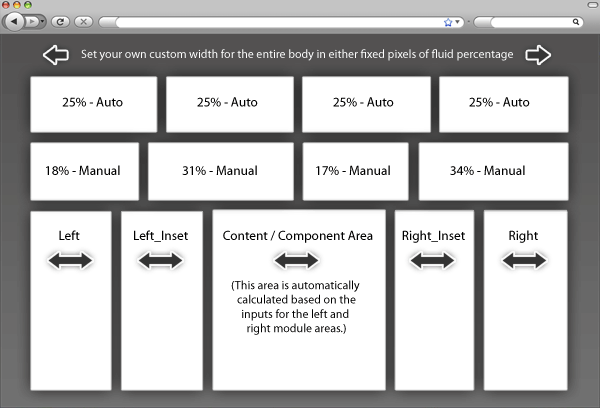
This template has the ability to set the entire width of your set to either a fixed pixel width or a fluid percentage width. You can set the width to any size you want.
Column Widths
You may also set the widths of the following positions to any width that you need to: left, left_inset, right, and right_inset. You may set them to any width you need to.
Row Widths
This template comes loaded with module positions, many of which appear in rows of 6 module positions. Any row that contains 6 module positions can have it's row columns set to automatic widths or manual. For example, in the picture below the first row shows 4 modules published and since it's set to automatic each is set to 25% width. The second row shows a manual calculation for each module in the row. Again, you may do this for any row that contains 6 modules. If you setup a manual calculation they must total to 100%. Not all 6 modules need to be used, as shown below.
All of this is done very easily in the template configuration.
1. Search Setup

2. Column Menu Setup

3. Bottom Menu Setup

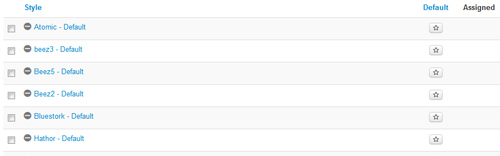
This template comes loaded with options that you can use to customize your site exactly how you want it. Here's how to get to these custom settings:
We have 131 guests and no members online